How to build your CaliMaster Pro workout
Two short guides: connect your Garmin with the pairing code, then build your sessions in the visual editor.
Pair the watch once
To send your workouts to the watch you only need to enter your 6-character pairing code in the CaliMaster Pro Garmin app, once. Your code is shown at the bottom of this page when you're logged in.
Access Settings
Open the CaliMaster Pro app on your Garmin, select Settings from the main menu, and then choose the Pairing Code option.
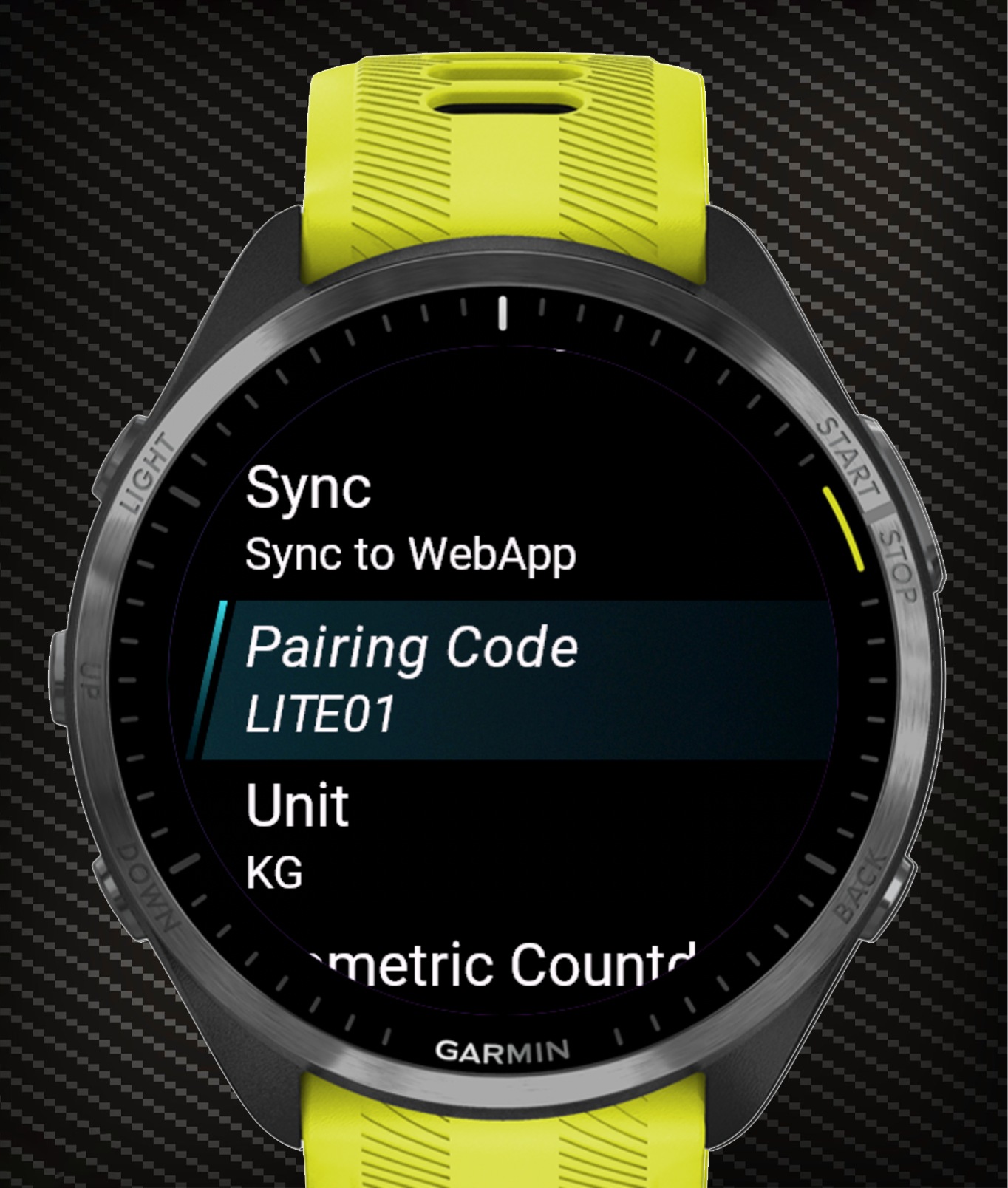
Enter the Pairing Code
Type the 6-character alphanumeric code shown in your dashboard. Controls depend on your device type.
UP / DOWN cycle the character. START / ENTER confirm and move to the next box. BACK / LAP go back. START on the last box saves.
Tap a box to select it. Tap the on-screen up/down arrows to cycle characters. Press START to save.
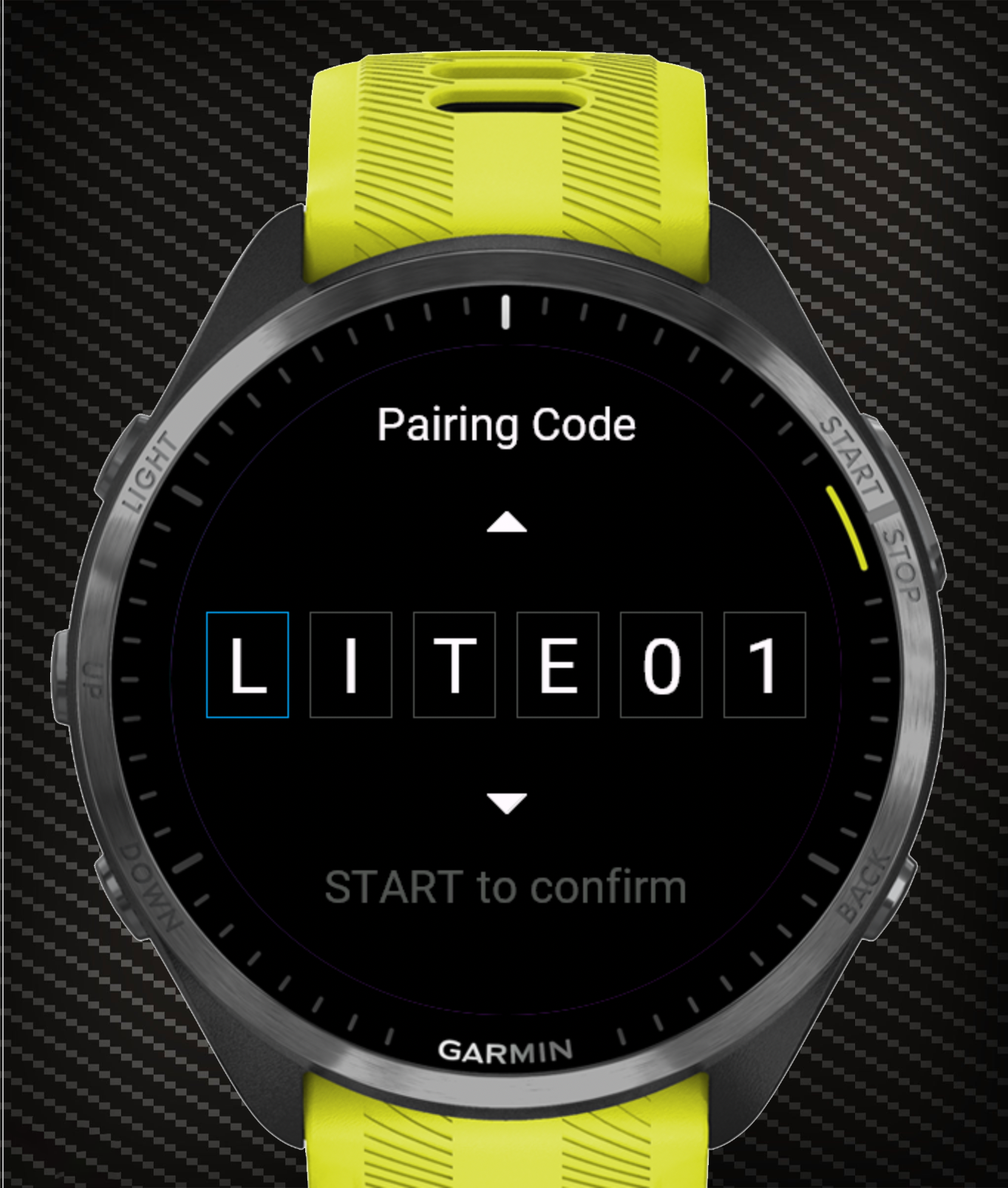
Smart-Sync
As soon as the code is saved the app starts an immediate background sync and shows a confirmation message when your workouts are downloaded.
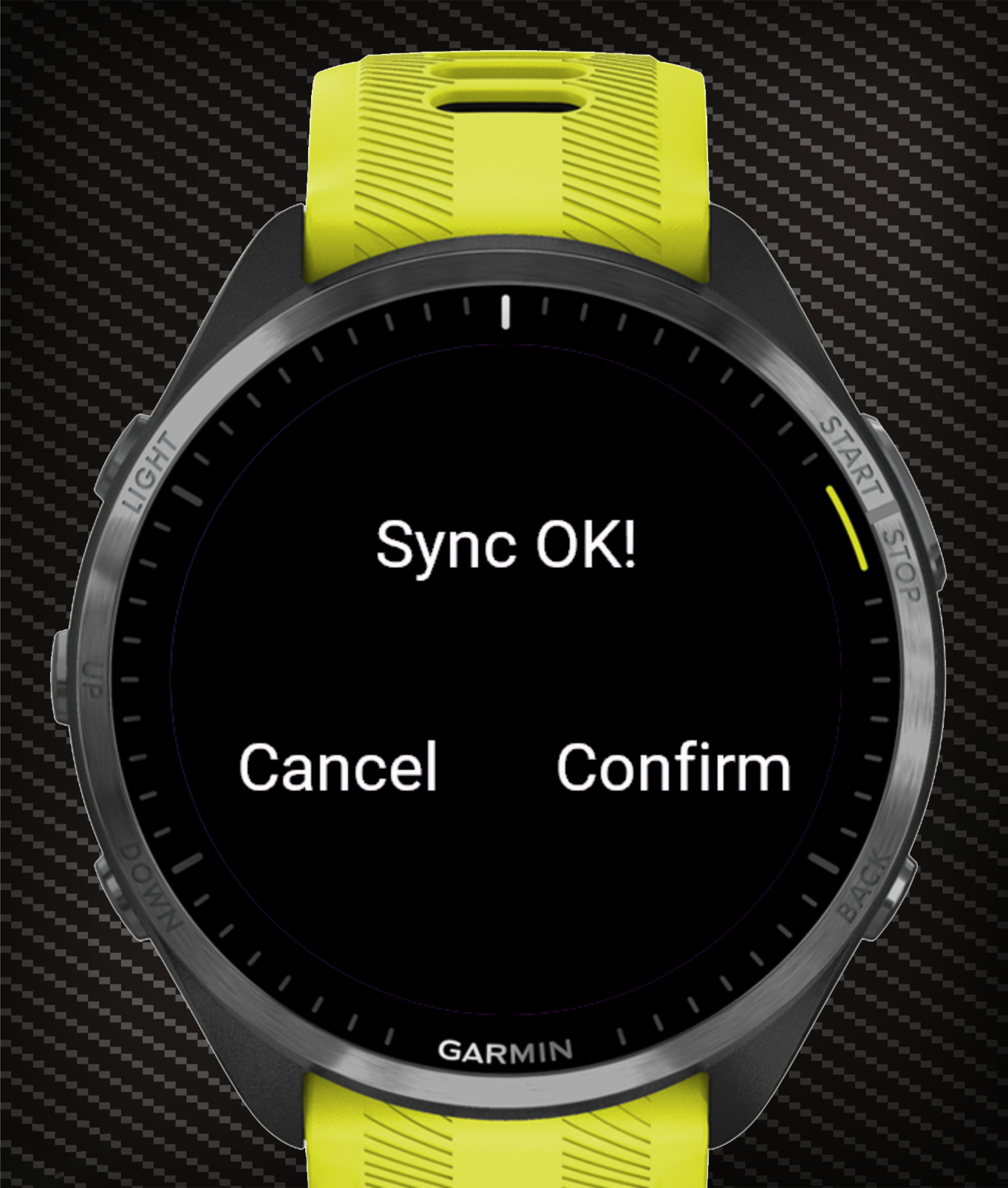
Ready to Train
You're back on the watch home screen. The setup prompt is gone — in its place you see the ordered list of your personal workouts from the web app.
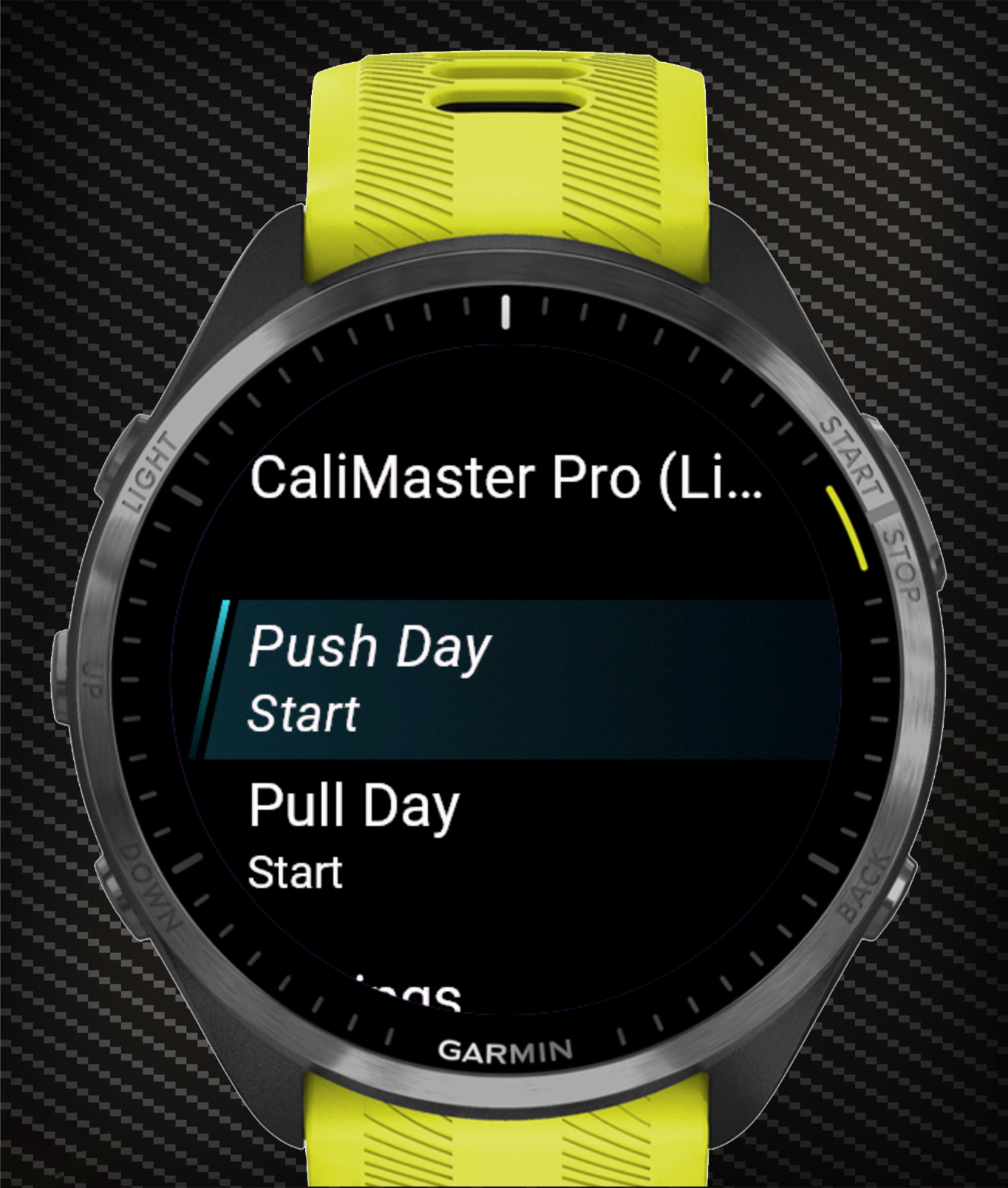
Ready to build your session?
Jump straight into the editor and design your next training.